How Moonside works
One phone stays in the nursery and listens. The other stays with you and plays what it hears. Here is what happens in between, and why it is built the way it is.
Setting up
Install Moonside on two devices
iPhone, iPad or Android, in any combination. No account, no sign-up, no password. The phone for the nursery is usually an old one; it only needs a working microphone, a charger and a network connection.
Choose a role on each
Baby on the phone that goes in the nursery, Parent on the one you keep. You can switch a phone between the two roles later; pairings are kept.
Pair them in the same room
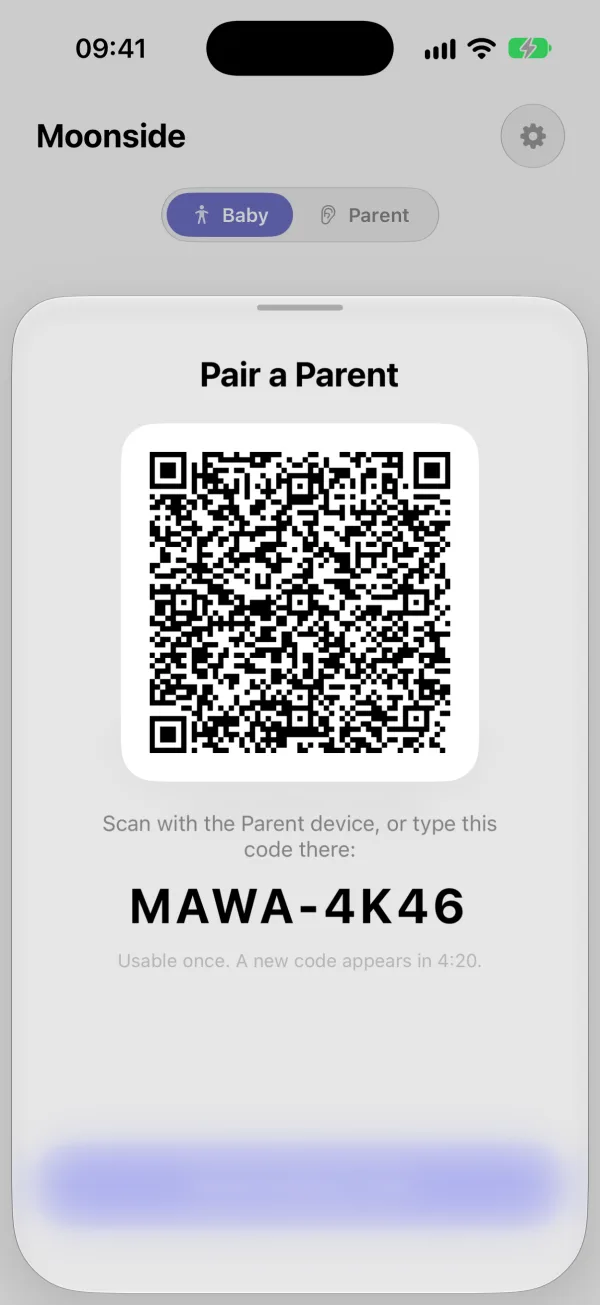
The Baby phone shows a QR code. Scan it with the Parent phone, or type the 8-character code shown beneath it. Pairing happens in person on purpose: phones trust each other only after you have introduced them.
Start monitoring
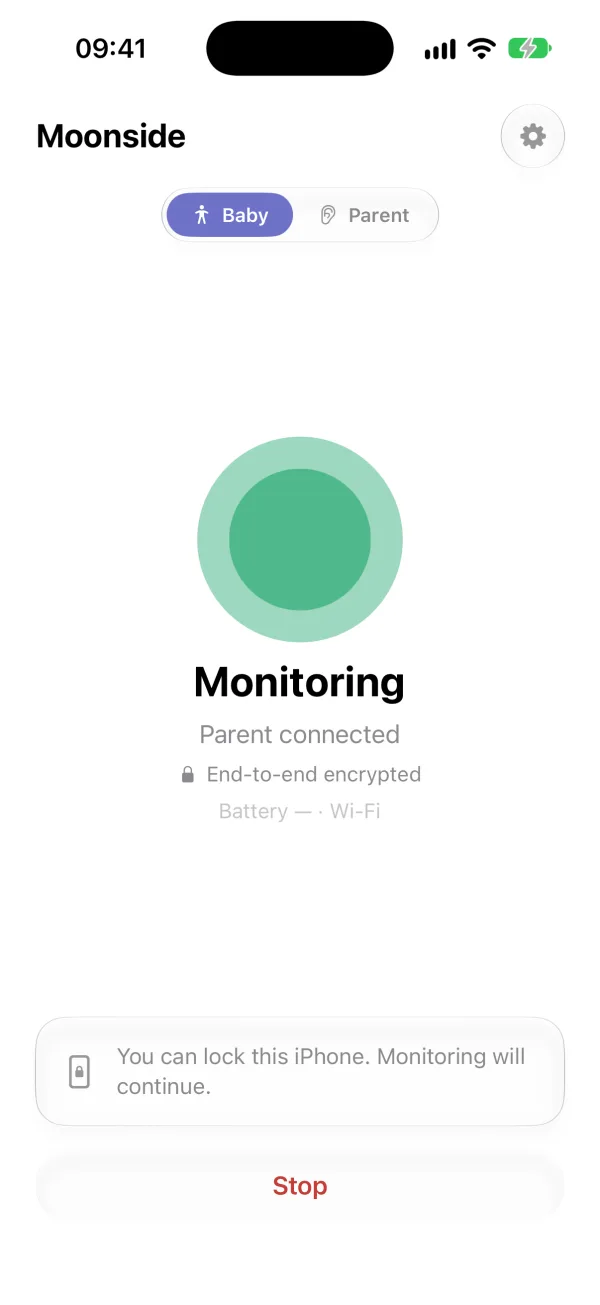
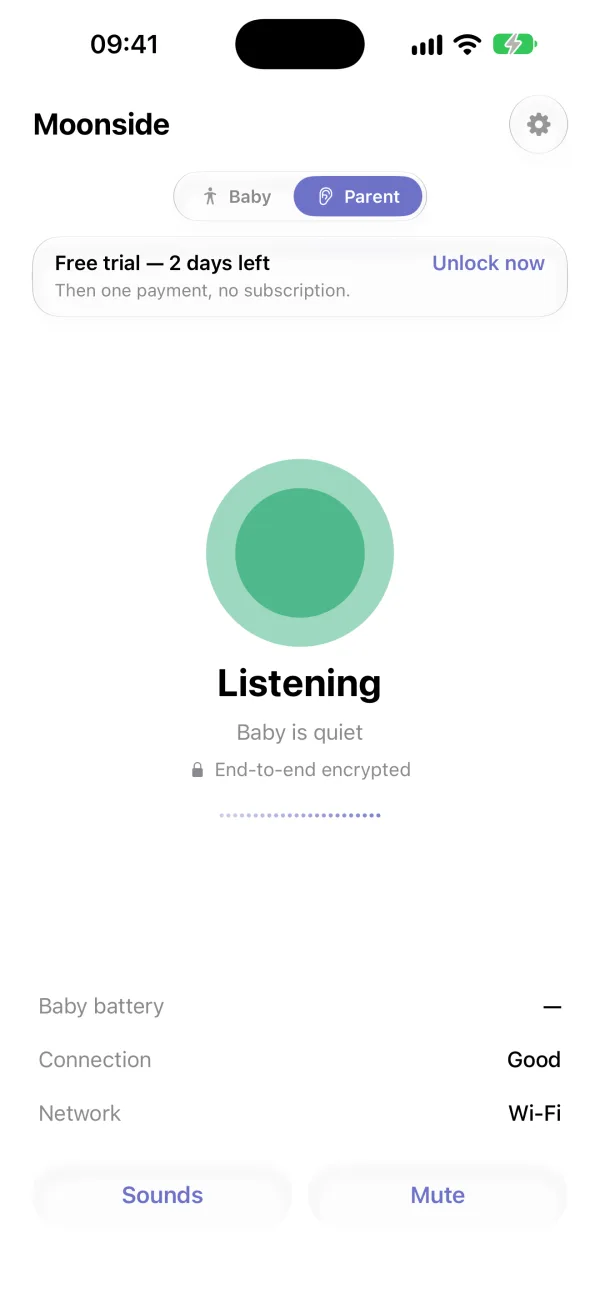
Put the Baby phone in the nursery, plug it in and lock the screen. Monitoring continues with the screen locked and with the app in the background. The Parent phone shows Listening, a level meter, the Baby phone's battery and the quality of the connection.
How the sound travels
Moonside streams live audio between the two phones using the same technology as encrypted internet calls. The audio is encrypted end to end between your paired phones: it is readable on the Baby phone and on the Parent phone, and nowhere in between.
- On the same Wi-Fi, the phones find each other on the local network and connect directly.
- On different networks, a small signalling service we run introduces the two phones to each other, and they connect directly over the internet whenever the networks allow it.
- When a direct connection is impossible, for example on a mobile network that blocks one, the audio passes through our relay. It is still encrypted and the relay cannot listen to it or save it.
Either way, Moonside works on Wi-Fi or mobile data, in the next room or in the next country. Both phones need a network connection the whole time.
How the encryption works
Each Moonside installation makes its own key pair the first time it runs. The secret half is generated on the phone, kept in the phone's keychain or keystore, and never leaves it. Pairing and every connection after it build on those keys.
Pairing introduces the keys
The QR code on the Baby phone contains that phone's public key and a one-time secret that is good for five minutes. Scanning it in person is how the Parent phone learns which key to trust. The Parent phone then sends its own public key back, signed, together with proof that it has the one-time secret; the secret itself is never sent, and the Baby phone refuses a second phone presenting the same one. If you type the 8-character code instead, the Baby phone first seals the same QR contents with a key derived from that code and places the sealed message on our server for a few minutes. Only a phone that has the code can open it, and the code never leaves the two phones. Scanning the QR code is the strongest way to pair: nothing of it passes through our server.
Every message between the phones is signed
Once paired, each phone signs everything it sends to the other with its Ed25519 key: the request to listen, the connection details, the hang-up and the notice that a pairing was removed. The receiving phone accepts a message only if the signature matches the key it learned while pairing, the message is addressed to it, is recent and has not been seen before. Our server can pass these messages on but cannot change or forge them, and the same applies to anyone on the local network when the phones connect without our server.
The audio key is tied to those signatures
Before the sound starts, the two phones agree on a fresh key for the audio, the way encrypted internet calls do (DTLS-SRTP). The fingerprint of the certificate each phone will use travels inside the signed connection details, so a server or relay that put its own key in the middle would fail the signature check, and a phone refuses the audio connection when the certificate on the other end does not match the fingerprint it was told to expect.
When the audio has to pass through our relay, the relay forwards packets that were encrypted on one phone and can only be decrypted on the other. It never has the key, so it cannot listen in or record.
What happens when something breaks
A baby monitor that fails quietly is worse than no monitor: a calm screen and silence from a room you cannot see look exactly like a sleeping baby. Moonside is built not to fail quietly.
- The Parent phone keeps checking that the Baby phone is still there. If it has heard nothing from it for about 30 seconds, it sounds an alarm and shows a notification, then reconnects by itself as soon as it can.
- The Baby phone warns the Parent phone when its battery runs low, so you can plug it in before it goes dark.
- On iPhone the alerts are time-sensitive notifications, so they break through a sleep focus. On Android an ongoing notification shows while Moonside is listening, and the app asks to be left out of battery optimisation so the phone does not stop it overnight.
Why not just call each other?
Plenty of parents do, and while you are awake in the next room it works fine. Two things change once you are asleep. A call does not tell you when it stops: if it drops at 3am, it simply ends, and you find out in the morning. And calling apps are tuned to remove exactly what you are listening for: they suppress background noise and, during quiet moments, stop transmitting and let the other phone generate artificial silence. For a baby monitor that is backwards. Moonside always transmits the real silence, alerts you when the room gets loud even with the sound muted, warns about a low battery, lets more than one parent listen, and leaves your phone free all night.
Audio only, on purpose
There is no camera in your child's room and no video feed to keep checking. A level meter shows how loud the room is, and the Hear Everything option switches the noise filtering off so that stirring and soft sounds come through too. On an iPhone in the nursery, the sound is also identified on the phone itself as crying, coughing, fussing or other noise, and a short clip is kept on your own devices so you can play back what was heard.
All features · Questions and answers
Try it on your own phones first
The first 3 days after pairing are free. The Baby phone is always free.